CTR Sprout vs CTRTool: CTR Campaign Alternative to ScaleRankings
You are comparing CTR Sprout and CTRTool, and the pricing pages do not tell you which one fits your campaigns. Both promise automated search visits, yet they differ on coverage, proof and control, and those differences decide whether your spend produces anything you can verify.
This article delivers a direct verdict, then breaks down campaign coverage across Google, Bing, Maps and AI Overviews, screenshot evidence for every visit, keyword and position tracking, and pricing. By the end you will know which tool matches your workflow and why.
Quick Verdict: CTR Sprout vs CTRTool as a ScaleRankings Alternative
If you need verifiable proof for every CTR visit and campaigns across Google, Bing, Maps, and AI Overviews, CTRTool is the stronger choice; CTR Sprout suits simpler, budget-focused setups. Both tools sit in the CTR campaign space as alternatives to ScaleRankings, but they solve different problems for the same buyer.
CTRTool is built around screenshot proof for every visit, with search and landing screenshots delivered as separate images. That means each visit in your campaign leaves a trace you can inspect rather than a number you have to trust.
CTR Sprout is best described generally as a CTR tool with a lower entry price. It does not appear to offer verified screenshot proof or AI Overview coverage, so its appeal leans toward basic SERP CTR work on a tighter budget.
| Criteria | CTRTool | CTR Sprout |
|---|---|---|
| Visit proof | Search and landing screenshots as separate proof images per visit | No verified screenshot proof described |
| Platform coverage | Google Search, Bing Search, Google Maps, AI Overviews | General SERP CTR focus, no AI Overview coverage described |
| Entry pricing | Monthly plans from $59 for 2,000 credits | Generally lower entry price |
| Credit model | Pay for results, no credits charged for technical failures before landing | Not verified |
| Campaign capacity | Up to 100 campaigns with 100 keywords each on one shared credit balance | Not verified |
On price, CTRTool's monthly plans start at $59 for 2,000 credits, which covers up to 1,000 Desktop or 500 Mobile visits. The credit balance is shared across all campaign types, websites, and keywords, and unused credits roll over while you stay subscribed.
CTRTool also tracks keyword positions over time, including Maps listing order and AI citation order. Visits run up to 5 minutes with up to 5 additional internal pages.
CTR Sprout's lower entry price is a fair point for anyone testing the waters. The trade-off is that without screenshot proof, you cannot confirm what a visit actually looked like in the SERP or on the page.
Recommendation: choose CTRTool for proof-driven, multi-platform campaigns. Consider CTR Sprout only if basic SERP CTR is your sole need and you are comfortable working without verified visit evidence.
At a glance: how CTRTool compares to CTR Sprout on the features that matter most.
| Feature | CTRTool | CTR Sprout |
|---|---|---|
| Pricing | $59/mo Starter | $79/seat/mo (annual) |
| Free plan / trial | ✗ | 30-day trial |
| API access | — | ✓ |
| Analytics / reporting | ✓ | ✓ |
| Keyword monitoring | ✓ | ✓ |
| Team / collaboration | — | ✓ |
| AI-powered features | ✓ | ✓ |
| Screenshot proof per visit | ✓ | — |
What Is CTRTool?
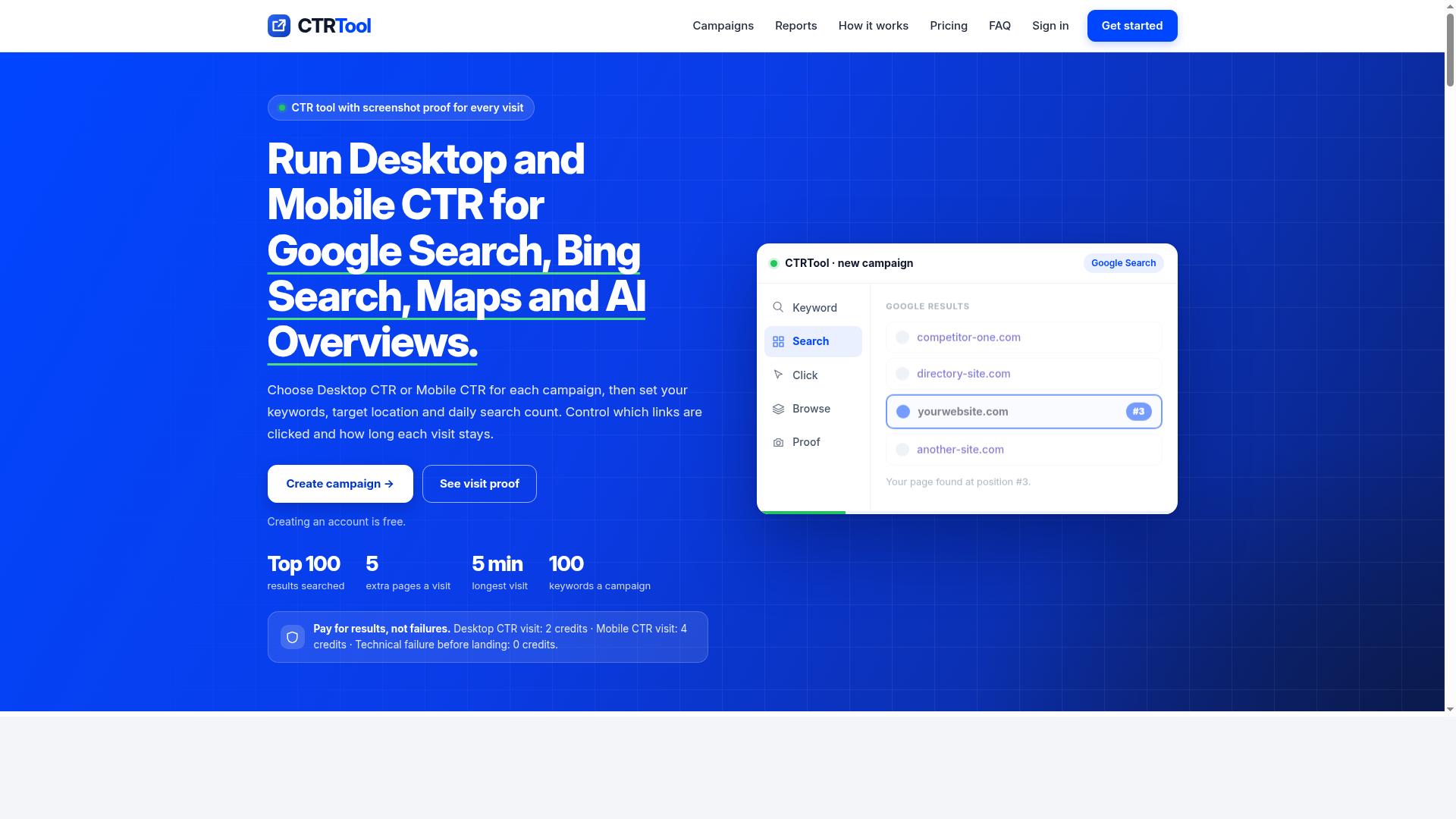
CTRTool is a CTR campaign tool that runs Desktop and Mobile click campaigns for Google Search, Bing Search, Google Maps, and AI Overviews, with screenshot proof for every visit.
It is a SaaS platform built for SEO practitioners and agencies who want control over how their CTR campaigns run. Rather than a broad all-in-one suite, it focuses on one job: delivering automated visits to chosen pages while documenting what happened.
The platform's core controls are straightforward. Users pick Desktop CTR or Mobile CTR per campaign, then define the keywords, target location, and daily search count. They also decide which links get clicked and how long each visit stays.
Location targeting is flexible. A campaign can be pointed at a specific country, state, or city, or set to "Any country" when broader coverage makes more sense. This pairs with keyword targeting so visits arrive through realistic search queries instead of direct hits.
Proof is a central part of the design. CTRTool returns search and landing screenshots as separate proof images, so agencies can show clients what a campaign actually produced rather than asking them to take a report on faith.
The dashboard also tracks keyword positions over time. That includes Maps listing order and AI citation order, which matters as more searches end in map packs and AI-generated answers rather than classic blue links.
CTRTool is candid about what this work can and cannot promise. The site states plainly: "Automated visits do not guarantee rankings." Campaigns are a supporting tactic, not a replacement for sound on-page SEO and genuine relevance.
For teams weighing a CTR campaign alternative to ScaleRankings, CTRTool's appeal is the combination of device targeting, geo-targeting, visit-level controls, and visual proof in one dashboard. Later sections compare it directly with CTR Sprout and ScaleRankings.
What Is CTR Sprout?
CTR Sprout is a CTR campaign tool marketed as a budget-friendly option for improving SERP click-through rates, though its exact features and pricing are not independently verified here. It belongs to the same broad category as other CTR campaign platforms: software that sends controlled visits to a page in the hope of lifting click-through rate on a Google SERP.
According to its marketing, the tool is aimed at SEOs and site owners who want a lower-cost way to run click-through rate campaigns. These are not independently confirmed, so treat any claims about pricing tiers, credit systems, or platform coverage as promotional until you check the vendor's own documentation.
Certain capabilities commonly attributed to tools in this space are not confirmed for CTR Sprout. That includes screenshot proof of clicks, AI Overview campaigns, and Maps tracking. If those features matter for your keyword targeting or reporting needs, verify them directly before comparing it against CTRTool or ScaleRankings.
At a high level, a CTR campaign tool in this category typically involves keyword targeting, traffic delivery, and campaign management features such as proxy rotation and device targeting. How much of that CTR Sprout actually provides, and how well it performs on a live Google SERP, is something readers should confirm through public documentation and independent feedback rather than marketing pages alone.
Features Compared
This comparison breaks down campaign coverage, proof and transparency, and keyword/position tracking, three areas where CTRTool and CTR Sprout differ most.
CTRTool's features are verified from its official site, so every detail below reflects documented capabilities. CTR Sprout's features are described generally and hedged, because its exact specifications are not confirmed in available information.
That distinction matters for agencies comparing a CTR campaign tool against a ScaleRankings alternative. Where a capability cannot be confirmed, we say so rather than assume it.
Campaign Coverage: Google, Bing, Maps and AI Overviews
CTRTool supports four campaign types, Google Search CTR, Bing Search CTR, Google Maps CTR, and AI Overview CTR, each with Desktop or Mobile targeting and keyword/location setup.
Google Search CTR and Bing Search CTR campaigns run a search keyword and click the organic result, working through the top 100 results and internal pages. Google Maps CTR finds a business listing and clicks its website link, checking up to 50 listings with city targeting. AI Overview CTR requires the site to match AI Overview presence and clicks its source link.
Each campaign allows up to 100 keywords, country, state and city targeting, and a search depth up to 100. Users pick Desktop CTR or Mobile CTR per campaign, which keeps device targeting aligned with the search surface being targeted.
For CTR Sprout, platform coverage is not verified here and should be confirmed directly with the provider. We do not list specific platforms as confirmed for CTR Sprout.
For SEO agencies targeting multiple surfaces, coverage breadth is the deciding factor. A tool that handles Google, Bing, Maps, and AI Overviews in one dashboard reduces the need to stitch together separate workflows, and that is where CTRTool's documented four-campaign structure stands out.
Proof and Transparency: Screenshot Evidence for Every Visit
CTRTool provides screenshot proof for every visit, with search and landing screenshots delivered as separate proof images plus full visit paths.
That separation is the point. The search screenshot shows the query and result context, while the landing screenshot confirms the target page loaded correctly. Together with the full visit path, agencies can verify that clicks occurred and that internal pages were reached as intended.
Keyword positions are also tracked over time, including Maps listing order and AI citation order, which adds another layer of transparency to campaign reporting. The pay-for-results credit model reinforces this: no credits are charged for technical failures before landing, and visits that cannot verify the requested location use no credits.
For CTR Sprout, screenshot-level proof is not confirmed in available information. We make no claim about whether it offers this kind of evidence.
Proof matters for client reporting. When an agency can show a screenshot for each visit alongside a visit path, conversations about CTR campaigns shift from trust to verification. That documentation is often the difference between a report a client accepts and one they question.
Keyword and Position Tracking Across Search, Maps and AI Citations
CTRTool tracks keyword positions over time across organic search, Maps listing order, and AI citation order, giving a unified view of ranking movement.
Organic SERP positions are recorded for the chosen keyword and location, Maps campaigns check listing order across up to 50 listings, and AI Overview campaigns track citation order. Campaigns require the page to appear within the top 100 organic results for the chosen keyword and location, which keeps targeting realistic.
The reporting layer ties this together. Search positions, Maps listing order, and AI citation order all appear in reports alongside full visit paths and screenshots, so ranking improvement and click activity can be reviewed in one place.
- Search positions: organic SERP movement over time
- Maps listing order: position within up to 50 listings
- AI citation order: placement among AI Overview sources
For CTR Sprout, tracking capabilities are not verified here and should be checked directly with the provider. We do not invent tracking features on its behalf.
Multi-surface tracking helps SEO reporting because rankings no longer live in one channel. An agency managing Google SERP visibility, local Maps presence, and AI Overview citations needs a single view of movement across all three. CTRTool's documented tracking covers each surface, which makes it the stronger fit for teams reporting on more than traditional organic results.
Pricing Compared
CTRTool publishes monthly USD plans starting at $59 for 2,000 credits (up to 1,000 Desktop CTR visits or 500 Mobile CTR visits), scaling to higher tiers for larger campaigns. Every tier is listed on the site with a clear credit allowance, so you can calculate your campaign budget before committing.
The credit system is straightforward once you know the ratio. A Desktop CTR visit costs 2 credits, while a Mobile CTR visit costs 4 credits. A verified search without a match uses 1 credit, and a technical failure before landing costs nothing.
| Plan | Monthly Price | Credits | Max Desktop Visits | Max Mobile Visits |
|---|---|---|---|---|
| Starter | $59 | 2,000 | 1,000 | 500 |
| Growth (Recommended) | $125 | 5,000 | 2,500 | 1,250 |
| Scale | $399 | 20,000 | 10,000 | 5,000 |
| Agency | $699 | 40,000 | 20,000 | 10,000 |
Two details matter for budgeting. Unused credits roll over while your subscription stays active, and they expire when a cancellation takes effect. Creating an account is free, and the site notes that prices rise 30% on November 15, so locking in a plan early has a practical benefit.
Cost per visit is easy to work out. Desktop visits run about $0.0295 on Starter and roughly $0.025 on Growth, with the larger tiers bringing the rate down further. That transparency makes it simple to weigh value without guessing what a competitor charges.
CTR Sprout's exact pricing is not verified here, so no figures are quoted. CTR Sprout's plans should be confirmed on its site. When you compare, line up its visit allowances against CTRTool's published credit-to-visit ratio and rollover terms, since headline subscription prices alone rarely tell the full story.
Who Should Choose CTRTool
CTRTool fits SEO practitioners and agencies that need verifiable proof, multi-platform coverage (Google, Bing, Maps, AI Overviews), and scalable credit-based campaigns for client reporting. The profiles below show where those strengths matter most.
- Agencies reporting to clients: teams that must show screenshot proof for every visit benefit from a workflow built around evidence, so campaign results can be handed over in client reports rather than described in the abstract.
- Multi-platform campaign managers: practitioners running keyword targeting across Google Search, Bing Search, Google Maps, and AI Overviews can work from one dashboard instead of juggling separate tools for each surface.
- Precision-focused practitioners: campaigns that need Desktop or Mobile targeting and location granularity down to state and city suit teams whose keyword ranking goals differ by device and geography.
- Small-to-mid volume teams scaling up: the credit model starts at 2,000 credits for $59, and Growth at $125 for 5,000 credits covers teams moving into campaign scaling without committing to a large upfront plan.
In short, CTRTool suits readers who treat a CTR campaign as a measurable, reportable activity. Teams that only want rough traffic volume with no proof trail may find the evidence-first approach more than they need, but for client work and geo-targeted ranking improvement, that proof is usually the point.
Who Should Choose CTR Sprout
CTR Sprout may suit users who want a simpler, lower-cost entry into CTR campaigns and do not require screenshot proof or multi-platform coverage. Its likely appeal is narrow and budget-first, which is worth understanding before committing to any CTR campaign tool.
No verified specifics about CTR Sprout's pricing, plan limits, or proof model were available for this article. Any exact figures or capabilities should be confirmed directly on its site rather than assumed from marketing copy.
Based on general positioning, CTR Sprout tends to fit a few common scenarios:
- Budget-conscious testers who want to try basic SERP CTR campaigns before investing in a fuller platform.
- Users focused only on Google Search clicks who have no need for Maps or AI Overview support.
- Small-scale operators running a handful of keyword targeting experiments rather than ongoing campaign scaling.
If those limits match your workflow, a lean tool can be a reasonable starting point. If your goals include screenshot proof, broader platform coverage, or room to scale, the constraints may surface quickly.
Readers weighing CTR Sprout against CTRTool should treat the former as an entry-level option and verify its actual terms. CTRTool, by contrast, is built for users who want a dedicated CTR campaign platform with proof and coverage as core priorities.
Final Verdict
CTRTool is the stronger ScaleRankings alternative for teams that need screenshot proof, four-platform campaign coverage, and transparent credit-based pricing starting at $59/month. For readers weighing CTR Sprout against CTRTool, the decision mostly comes down to how much verification and reach matter to their CTR campaign.
CTRTool wins on three fronts that matter for serious campaign management: proof, coverage, and transparency. CTR Sprout may appeal to buyers shopping strictly on budget, but its proof model and platform reach are less established based on publicly available information.
| Factor | CTRTool | CTR Sprout |
|---|---|---|
| Proof of visits | Screenshot evidence for every visit | Unverified proof model, generally described |
| Platform coverage | Google, Bing, Maps, AI Overviews | Narrower coverage, not clearly documented |
| Pricing transparency | Published USD pricing starting at $59/month with credit-to-visit ratios | Budget-oriented positioning, details less clear |
| Dashboard and reporting | Analytics and reporting available in the dashboard | Varies, generally described |
The screenshot evidence is the standout difference. Every visit can be checked, which gives teams a concrete way to confirm that clicks and impressions were actually delivered. That matters when you are paying for a CTR boost and want to connect spend to real SERP activity.
Coverage across Google, Bing, Maps, and AI Overviews also gives CTRTool a wider footprint for keyword targeting and geo-targeting. A campaign that only reaches one surface limits how much you can influence SERP position across search queries.
On transparency, CTRTool publishes USD pricing and credit-to-visit ratios, so campaign scaling is easier to plan. CTR Sprout remains a possible budget option, but readers should confirm its proof and coverage details directly before committing.
For pre-sales questions about plans, credits, or platform support, CTRTool lists vaibhav@autoblogging.ai as its support email in the FAQ. Asking specific questions before subscribing is a sensible step for any CTR campaign tool.
Overall, CTRTool is the clearer choice for teams that value verifiable delivery and documented pricing. CTR Sprout is worth a look only if budget outweighs proof and reach in your evaluation.
Frequently Asked Questions
What is the main difference between CTRTool and CTR Sprout?
CTRTool is a CTR campaign tool built for Google Search, Bing Search, Google Maps and AI Overviews, with screenshot proof for every visit and full visit paths. Because published details about CTR Sprout's features and pricing aren't available, we can't make a feature-by-feature comparison - the best approach is to check CTR Sprout's current site directly and compare it against CTRTool's documented campaign types, proof screenshots and credit-based pricing.
Does CTRTool provide proof that campaign visits actually happened?
Yes. CTRTool is positioned as a "CTR tool with screenshot proof for every visit," providing search and landing screenshots as separate proof images, plus full visit paths. It also tracks keyword positions over time, including Maps listing order and AI citation order, so you can see how campaigns affect visibility.
Which platforms and campaign types does CTRTool support?
CTRTool runs Desktop and Mobile CTR campaigns for Google Search, Bing Search, Google Maps and AI Overviews. You choose Desktop CTR or Mobile CTR per campaign, set keywords, and target a location - a specific country with optional state and city, or "Any country" for a mix of supported locations.
How much does CTRTool cost compared to CTR Sprout?
CTRTool's monthly plans are published in USD: Starter at $59/month for 2,000 credits (up to 1,000 Desktop CTR visits or 500 Mobile CTR visits) and Growth at $125/month for 5,000 credits (up to 2,500 Desktop or 1,250 Mobile visits). We don't have verified pricing for CTR Sprout, so we can't state how the two compare on cost - check CTR Sprout's site for its current plans.
Can CTRTool handle campaigns for client websites and agencies?
Yes. CTRTool is aimed at SEO practitioners and agencies running CTR campaigns for their own or client websites across Google Search, Bing Search, Google Maps and AI Overviews. The site's guidance also mentions using tier links, PBNs and test properties, and campaigns can target specific countries, states and cities worldwide.
What are CTRTool's eligibility requirements for campaigns?
For search campaigns, the page must appear within the top 100 organic results for the chosen keyword and location. Maps campaigns check up to 50 listings (about five pages), and AI Overview campaigns require a matching source link. If you have questions before signing up, support is available at vaibhav@autoblogging.ai.