CTR Tool Pricing for AI Traffic: What Campaigns Cost
You are budgeting for AI traffic and need to know what a CTR campaign actually costs. Every visit, keyword, and day of targeting has a price attached, and guessing wrong wastes credits on clicks that never convert into visibility.
This article breaks down CTRTool's credit-based pricing, how credits convert to Desktop and Mobile visits, and which plans fit different campaign sizes. You will also see what drives AI Overview campaign costs, including source link matching and citation tracking, so you can decide whether the pay-for-results model is worth it.
What Is CTRTool? Campaign Types and Who It Serves
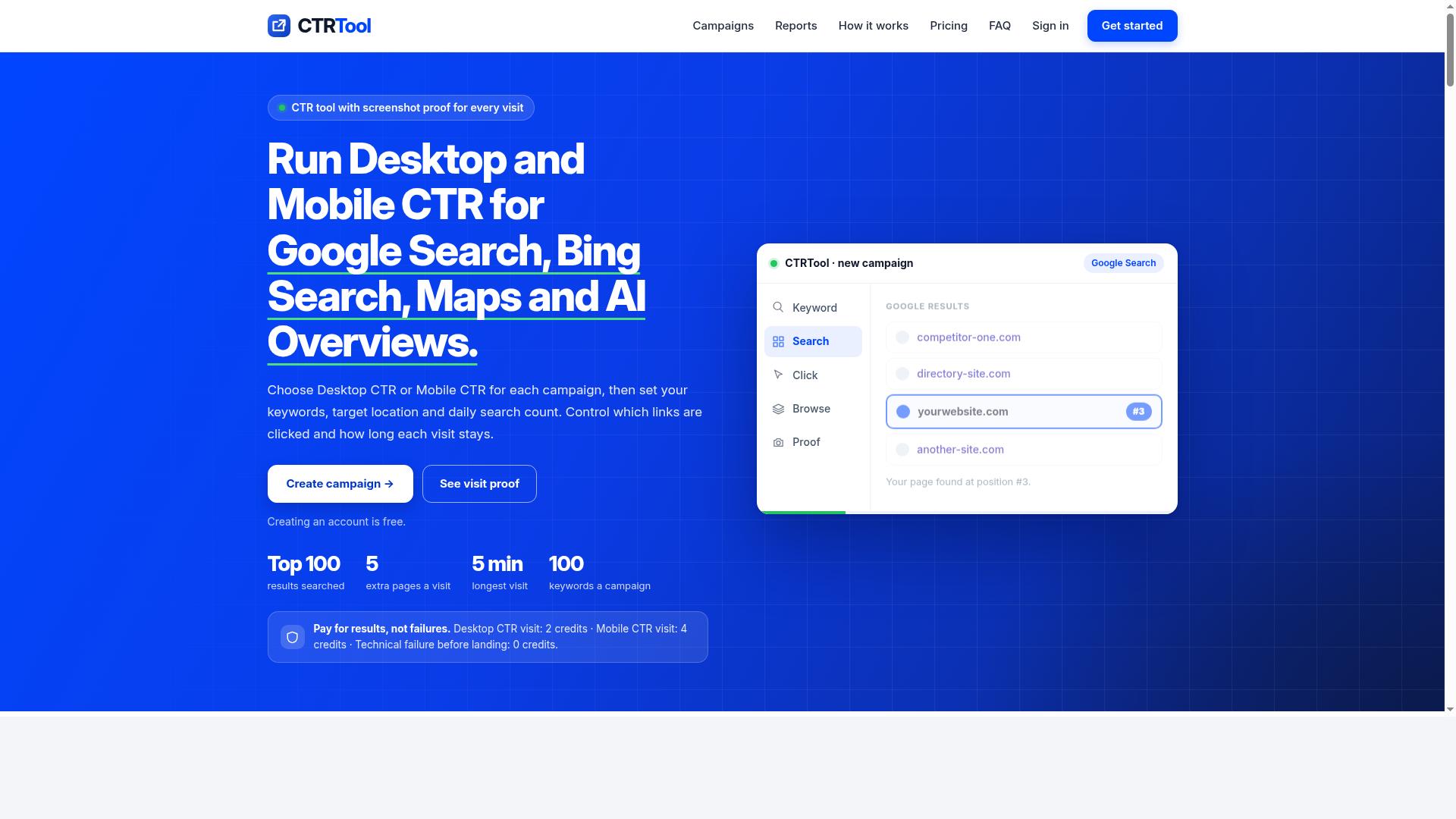
CTRTool is a SaaS platform that runs click-through-rate (CTR) campaigns for Google Search, Bing Search, Google Maps, and AI Overviews, providing screenshot proof for every visit. It is built for SEO practitioners and agencies that want to shape how a site appears in search results and AI-generated answers, whether for their own properties or for client websites.
Every campaign is driven by real desktop and mobile sessions. The platform delivers visits through Desktop Chrome windows and real Android phone sessions, matched to the target location through managed proxy routes.
The tool organizes work around four campaign types, each tied to a different surface where click behavior matters:
- Google Search CTR: search a keyword, click the organic result, and target any position within the top 100 results. Internal pages can be included.
- Bing Search CTR: the same keyword-and-click flow applied to Bing results, with the same top 100 depth.
- Google Maps CTR: find a business listing and click its website link, with city targeting across up to 50 listings.
- AI Overview CTR: find the website inside an AI Overview and click its source link, with citation order tracked as the outcome.
Each campaign can run on desktop or mobile, so teams can mirror the device mix of their actual audience. Setup supports up to 100 keywords per campaign, country, state, and city targeting (or any country), and a search depth up to 100. Daily search counts can be scheduled now, spread out, or with gaps, and goals reset at 00:00 UTC.
Reporting closes the loop. Campaigns produce full visit paths, search and website screenshots, and keyword positions over time, covering Search positions, Maps listing order, and AI citation order. For teams weighing CTR tool pricing, this overview sets the stage: the campaign types above are what any subscription tier or usage-based plan is ultimately paying to run.
What CTR Campaigns Cost: CTRTool's Credit-Based Pricing Explained
CTRTool uses a credit-based pricing model where monthly plans are priced in USD and credits are consumed per campaign visit. Instead of paying a flat fee for unlimited use, you buy a pool of credits each month and spend them only as your campaigns actually run. That structure keeps the cost tied to real activity rather than a fixed subscription you may not fully use.
Credits are the single currency across the platform. Every campaign draws from the same balance, so you are not juggling separate allowances for different campaign types. The plan you choose sets how large that credit pool is, and the pool size is what ultimately determines how many visits you can deliver in a given month.
The cost per visit is not a single flat number. It depends on whether a campaign is Desktop or Mobile, because the two device types consume different amounts of credit. That distinction matters for campaign budget planning, since a mixed campaign will stretch your credits at different rates depending on the device split you target.
Three monthly subscription tiers are available, and each one scales the credit allowance up in steps. The plans are monthly subscriptions rather than pay-as-you-go top-ups, so your campaign cost estimation starts with picking the tier that matches your expected visit volume. Accounts are free to create, which means you can review the structure before committing to a paid plan.
Starter, Growth and Scale Plans in USD
CTRTool offers three monthly plans: Starter at $59 for 2,000 credits, Growth at $125 for 5,000 credits, and Scale at $399 for 20,000 credits. Each tier raises the credit allowance so you can support more visits per month as your campaigns grow. The Growth plan is marked Recommended on the site.
Here is how the three tiers break down in plain terms:
- Starter: $59 per month for 2,000 credits, supporting up to 1,000 Desktop CTR visits or 500 Mobile CTR visits.
- Growth: $125 per month for 5,000 credits, supporting up to 2,500 Desktop or 1,250 Mobile visits.
- Scale: $399 per month for 20,000 credits, supporting up to 10,000 Desktop or 5,000 Mobile visits.
Credits are shared across campaign types, so a single balance covers everything you run within the month. You are not locked into one device type or a single campaign, which keeps the subscription tiers flexible for mixed workloads.
It is worth noting that the site displays limited launch pricing, with a notice that prices rise 30% on November 15. If you are comparing options, that timing is relevant to your ad spend allocation for the months ahead.
A fourth tier, Agency at $699 per month for 40,000 credits, supports up to 20,000 Desktop or 10,000 Mobile visits. It sits above Scale for higher-volume operations. Custom development is also available under a separate, agreed one-time fee for needs that fall outside the standard plans.
How Credits Convert to Desktop and Mobile Visits
Each Desktop visit consumes two credits, while each Mobile visit consumes four credits, so the effective cost per visit varies by device type. Mobile campaigns therefore draw down your balance twice as fast for the same number of visits.
A concrete example makes this clearer. With the Starter plan's 2,000 credits, you can run up to 1,000 Desktop visits or 500 Mobile visits. The same pool produces half as many Mobile visits because each one costs double. This is the core reason cost per click style comparisons need to account for device mix rather than assuming a single rate.
Credits are deducted per successful visit, which keeps the billing aligned with actual delivery. The brand's credit rules also cover edge cases: a verified search without a match costs 1 credit, and a technical failure before landing costs 0 credits. Those rules protect your campaign budget from being spent on visits that never reached your page.
Unused credits roll over while your subscription stays active, so a lighter month does not mean wasted spend. They expire when a cancellation takes effect, which gives you a window to use the balance before it lapses. For anyone running AI traffic campaigns with uneven monthly volume, that rollover behavior supports steadier planning.
Because the device split drives consumption, mapping your audience targeting against credit cost is a practical step. A campaign weighted toward Desktop will stretch further than one weighted toward Mobile. Planning the mix up front is the simplest way to keep your effective cost per visit predictable across the month.
What Drives the Cost of AI Traffic Campaigns
AI traffic campaigns require matching source links and tracking citations in AI Overviews. CTRTool prices these campaigns on the same credit system used across its other campaign types.
Two factors sit at the center of that difference. The first is the source link requirement, since an AI Overview campaign needs a link that matches the target page. The second is citation tracking, which means monitoring where your page appears inside the AI-generated response over time.
Both steps exist to keep traffic quality high. A visit that is tied to a real citation in an AI Overview is more defensible than a generic hit.
Everything else about campaign setup stays familiar. The same balance covers all campaigns, with up to 100 campaigns and 100 keywords per campaign allowed on one account. The subsections below explain how the matching link and citation checks work, then how location targeting, daily search counts and visit duration shape your campaign cost estimation.
AI Overview CTR: Matching Source Links and Citation Tracking
For AI Overview campaigns, CTRTool requires a matching source link and tracks the citation order of your page within the AI-generated response. The source link must correspond to the page you want cited, so the campaign and the destination stay aligned.
Citation tracking adds a monitoring layer that standard search campaigns do not need. CTRTool tracks the citation order of your page within the AI-generated response. That confirmation is part of the click-through rate optimization loop for artificial intelligence traffic, because citation position can shift as the AI regenerates answers.
For advertisers used to pay-per-click thinking, this changes how campaign budget planning works. You are not only buying impressions or clicks. You are buying a verified position inside an answer engine, which supports cleaner ROI measurement later.
One honest note belongs here. CTRTool explicitly does not guarantee higher rankings, leads or sales. The citation tracking tells you what happened in the AI Overview, and the decision about what to do with that signal stays with you.
Location Targeting, Daily Search Counts and Visit Duration
Campaign cost is also influenced by location targeting granularity, daily search volume limits, and the duration of each visit. These settings decide how many credits are consumed per day, so they are worth tuning before launch.
Location targeting follows a clear hierarchy. You can target a chosen country, and optionally a state and city, or select Any country to use a mix of supported locations. There are no country restrictions stated for the service. Location records come from CountryStateCity via the @countrystatecity/countries 2.0.0 package, under the Open Database License 1.0 and Database Contents License 1.0.
Daily search counts and visit duration are configurable. A higher daily count means more visits per day and therefore more credits used, while a longer visit duration shapes how each visit is delivered. Daily goals reset at 00:00 UTC, which keeps the consumption cycle predictable across time zones.
Practical advice: start narrow, watch how credits are consumed, then widen the target or raise the daily count once the campaign is stable. This keeps your ad spend allocation controlled without overcommitting at the start.
Why CTRTool's Pay-for-Results Model Changes the Cost Equation
CTRTool charges only for completed visits that are verified with screenshot proof, aligning cost directly with delivered results rather than impressions or clicks. That single design choice separates it from most of the traffic market, where budgets are committed before anyone knows what actually arrived.
Traditional pay-per-click advertising bills you the moment someone taps an ad. Whether that visitor is a real buyer, a curious bot, or a misfired click from the wrong region, the invoice looks the same. CTRTool flips the order: results come first, and the charge follows only when a visit is proven.
Under a pay-per-click model, ad spend allocation is a guessing game played after the money is gone. With CTRTool, the credit model acts as a filter. Anything that fails verification never reaches your balance, so the cost per click you actually pay maps to something you can inspect.
Proof is the mechanism that makes this work. Every visit arrives with search and landing screenshots as separate proof images, plus the full visit path. You are not trusting a dashboard counter. You are looking at what a real visitor saw and where they went next.
How the credit model removes wasted spend
Wasted spend in artificial intelligence traffic and click campaigns usually comes from two places: technical failures and unverifiable visits. CTRTool addresses both in its billing rules.
- No credits are charged for technical failures before landing.
- Visits that cannot verify the requested location use no credits.
- Unused credits roll over while you are subscribed.
- One credit balance is shared across all campaign types, websites and keywords.
That last point matters for campaign cost estimation. You are not juggling separate wallets for different projects or reconciling overage charges across accounts. A single balance covers everything, which makes forecasting simpler and keeps small experiments from being penalized.
Rollover credits also soften the pressure of monthly subscription cycles. If a campaign runs light one month, the value does not evaporate. It waits for the next push, which is a meaningful difference from prepaid click packages that expire unused.
Tracking keyword positions turns cost into measurable progress
Cost only means something when it connects to an outcome. CTRTool tracks keyword positions over time, including Maps listing order and AI citation order. That gives click-through rate optimization a feedback loop instead of a one-off transaction.
With that history, ROI measurement stops being abstract. You can compare what a campaign cost against how positions moved, and decide where the next block of credits belongs. Traditional click buying rarely offers this visibility without separate rank-tracking tools and manual correlation.
Scale supports the same logic. CTRTool allows up to 100 campaigns with 100 keywords each, and visits can run up to 5 minutes with up to 5 additional internal pages. Deeper visits mean more of the landing page optimization journey is observed, not just the first screen.
The verdict is straightforward. CTRTool's pay-for-results credit model ties CTR tool pricing to verified delivery, screenshots included, and keeps unverified or failed visits off your bill. For anyone weighing AI traffic campaigns against conventional click buying, that is a clearer and fairer cost equation.
Key Features Included at Every Price Point
All CTRTool plans include core features such as screenshot proof for every visit, full visit paths, and keyword position tracking across Google, Bing, Maps, and AI Overviews. In other words, the things that make a campaign verifiable are not locked behind a higher subscription tier.
This matters for AI traffic campaigns, where trust in the data is everything. When proof and tracking come standard, you can judge campaign cost against real, checkable results rather than promises.
Screenshot proof comes in two parts. Every visit generates a search screenshot and a landing screenshot as separate proof images. You see the query that was used and the page that was reached.
Full visit paths show how a visitor moved through the site. A single visit can last up to 5 minutes and include up to 5 additional internal pages.
Keyword positions are tracked over time, not just at a single moment. That tracking covers standard search results plus two areas that many tools overlook:
- Maps listing order, so local visibility is measured alongside organic rankings
- AI citation order, which shows where a page appears in AI-generated answers
For anyone running click-through rate optimization against AI Overviews, that second data point is the difference between guessing and knowing.
Campaign management covers all four campaign types on every plan. The same credit balance is shared across campaign types, websites, and keywords, and you can run up to 100 campaigns with 100 keywords each.
Higher tiers may include additional credits, but the features themselves stay consistent. You are paying for volume, not for access to exclusive capabilities.
Two protections apply regardless of tier. Visits that cannot verify the requested location use no credits, and no credits are charged for technical failures before landing. Combined with pay-for-results billing, that keeps campaign cost estimation predictable.
Unused credits also roll over while you are subscribed, so a quiet month does not wipe out your campaign budget. The practical takeaway: compare CTRTool plans on credit volume alone, because the proof, paths, and tracking you rely on are already included.
Who Gets the Most Value From Each Plan
The Starter plan suits solo SEO practitioners testing CTR campaigns on a few keywords, while Growth and Scale plans fit agencies managing multiple clients and high-volume campaigns. CTRTool serves SEO practitioners and agencies running campaigns for their own or client websites across Google Search, Bing Search, Google Maps and AI Overviews. Matching a plan to your actual campaign load is the simplest way to keep CTR tool pricing proportionate to the results you expect.
Each subscription tier is built around a credit allowance, and that allowance sets a practical ceiling on campaign capacity. The more credits a plan includes, the more keywords, locations and impressions a single account can support before an upgrade becomes necessary.
Starter: individuals and small sites. This tier fits a single practitioner running click-through rate optimization on a limited keyword set, often for one property. It is a sensible entry point for testing whether CTR campaigns move the needle before committing to a larger monthly subscription. Sites with modest impression volume rarely exhaust a starter allowance, so the lower tier keeps spend efficient.
Growth: small agencies and in-house teams. Once campaigns span multiple locations or several client properties, the credit allowance becomes the deciding factor. Growth supports teams running parallel campaigns where audience targeting varies by market. In-house SEO teams managing a portfolio of pages across Google Search and Bing Search also fit here, since the plan absorbs more keyword coverage without constant top-ups.
Scale: large agencies and enterprises. High visit volumes and many concurrent client accounts call for the largest allowance. Scale suits agencies that treat CTR campaigns as a standing service line, where campaign budget planning needs predictable capacity. Enterprises running campaigns across Google Maps and AI Overviews alongside traditional search also benefit from the headroom.
To judge fit, map your expected impression volume against the credit allowance rather than guessing. A quick campaign cost estimation exercise helps:
- Count the keywords or pages you plan to run each month.
- Multiply by the locations or markets you target.
- Compare the total against each tier's allowance.
- Check whether an upgrade would be cheaper.
This keeps ad spend allocation honest and avoids paying for capacity a small site will never use. Agencies juggling several clients should total every account before choosing a tier, since a single undersized plan invites repeated upgrades.
CTRTool's audience is SEO practitioners and agencies, and the site's guidance mentions using tier links, PBNs and test properties. That profile explains the plan structure: individuals need a low-cost way to trial campaigns, while agencies need volume and multi-client capacity. A solo practitioner with a handful of test properties sits comfortably on Starter. An agency running tier links across client sites will exhaust a small allowance quickly and should weigh Growth or Scale from the outset.
The clearest verdict is to match the plan to real campaign load. Start where your keyword count and locations fit, then move up only when the allowance, not ambition, demands it. That approach keeps subscription tiers aligned with genuine traffic quality goals and avoids paying for unused capacity.
Final Verdict: Is CTRTool Pricing Worth It for AI Traffic?
CTRTool's pricing is worth it for SEO professionals who need verified, screenshot-backed visits for AI Overview and traditional search campaigns, but it may be overkill for those running small, manual tests.
The value proposition rests on three things: a pay-for-results model, screenshot proof of delivered visits, and support for AI Overview campaigns. You are paying for documented outcomes rather than a promise, which is a meaningfully different arrangement from most SEO software.
Compared with pay-per-click, the economics look different. PPC buys you a placement and an impression, and you absorb the cost per click whether or not the visit converts. CTRTool instead delivers visits you can point to and verify, which makes ROI measurement far more concrete when you report to a client or a manager.
That distinction matters most for traffic quality. When every delivered visit comes with a screenshot, you spend less time arguing about bot traffic detection or whether an impression was real. The proof is attached to the result.
For teams weighing a campaign budget, the practical path is to start with the Starter plan and test ROI on a single campaign before scaling. Run it against one target page, compare outcomes, then decide whether to expand. That keeps initial ad spend allocation low while you learn how the results behave for your niche.
If you have questions about plans or how campaigns are structured, the support contact listed in the FAQ is vaibhav@autoblogging.ai. The site also lists Sign in, Create an account, Support, Terms of use and Legal notices pages for account and policy details.
Verdict: CTRTool is worth the cost for SEO professionals running AI Overview and traditional search campaigns who need verifiable, screenshot-backed visits. If your testing is small and manual, the pricing may exceed what you need. For everyone else, the pay-for-results structure and documented delivery make it a sound investment.
Frequently Asked Questions
How is CTRTool priced for AI traffic campaigns?
CTRTool uses monthly plans in USD with a credit-based system: Starter is $59/month for 2,000 credits and Growth is $125/month for 5,000 credits. Credits are consumed per visit, and the exact cost depends on whether you run Desktop or Mobile CTR campaigns. Because pricing is pay-for-results, you only spend credits when visits are actually delivered.
Do AI Overview campaigns cost the same as Google Search campaigns?
CTRTool's plans are credit-based rather than priced per campaign type, so your monthly cost is driven by how many visits you run, not which campaign type you choose. AI Overview campaigns are one of the supported campaign types alongside Google Search, Bing Search and Maps. To estimate cost, map your planned visit volume against the credit allowances in the Starter or Growth plan.
How many visits do I get for my monthly credits?
On the Starter plan ($59/month, 2,000 credits), you can run up to 1,000 Desktop CTR visits or 500 Mobile CTR visits. On the Growth plan ($125/month, 5,000 credits), that scales to up to 2,500 Desktop or 1,250 Mobile visits. Mobile visits consume more credits than Desktop visits, so factor that into your campaign budget.
What determines whether my AI traffic campaign delivers results?
For AI Overview campaigns, CTRTool requires a matching source link, so your campaign setup must align with a real cited source. For search campaigns, the page must appear within the top 100 organic results for the chosen keyword and location, and Maps campaigns check up to 50 listings (about five pages). Meeting these requirements helps ensure your credits are spent on visits that can actually be delivered.
Can I target specific countries or cities, and does that affect pricing?
CTRTool lets you target a chosen country and optionally a state and city, or select "Any country" to use a mix of supported locations. Targeting is a campaign setting rather than a separate pricing tier, so your cost is still based on credits and visit type. There are no stated country restrictions on the service.
What proof do I get that my campaign budget was well spent?
Every visit includes screenshot proof, with search and landing screenshots provided as separate proof images, plus full visit paths. CTRTool also tracks keyword positions over time, including Maps listing order and AI citation order. This lets you verify delivery against your spend and report results to clients with evidence.